
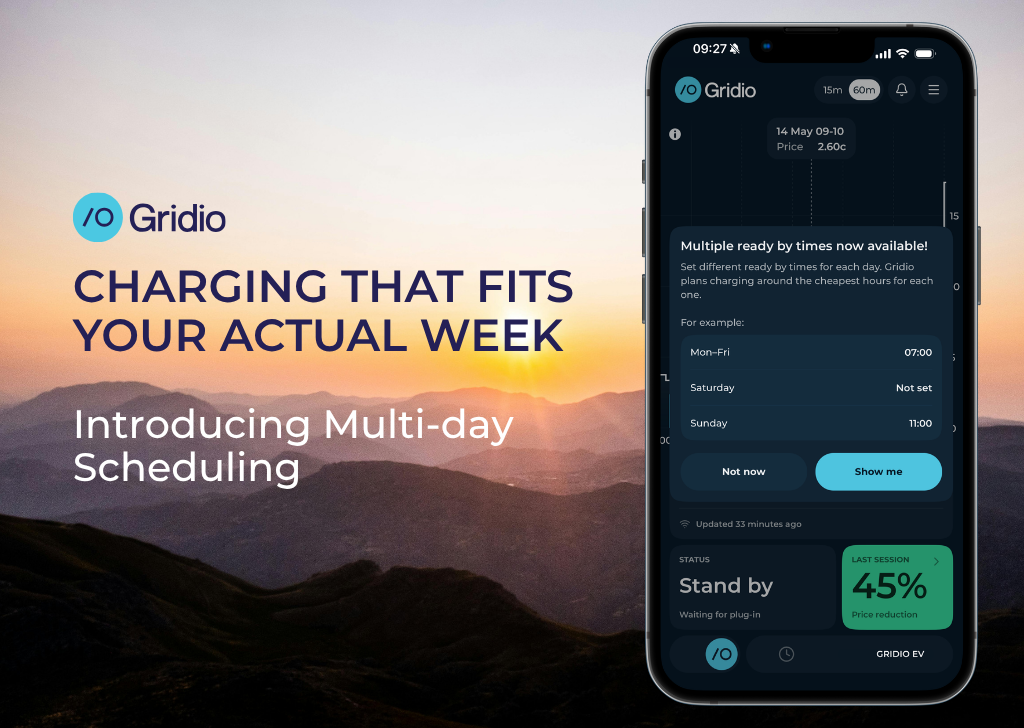
Your week isn't the same every day. Until now, your charging schedule was.
Gridio has always let you set a ready-by time – the hour you need your car charged by – and optimise around the cheapest spot prices to get there. That part works well. What didn't work was having just one time, applied to every day of the week.
Monday to Friday at 07:30, fine. But what about Saturday? Or the days you work from home and don't need the car until noon? One time for everything meant either setting it too early or accepting the app wasn't quite matching your actual life.
That changes with this update. You can now set different ready-by times for different days – and tell Gridio exactly when not to bother smart charging at all.
Where to find it
Everything is one tap away
From the home screen, tap your car card to open vehicle settings. From there you can adjust your ready-by schedule, set inactive hours, and toggle smart charging on or off.

.png)
One thing worth knowing about the Smart charging toggle: if you ever plug in at a public charger and want to charge at full speed immediately, just turn smart charging off. Gridio steps back completely, the car charges normally, and you switch it back on when you're home. The schedule you've set stays saved – nothing gets lost.
Set a different ready-by time for each day
A different time for each day
Create groups – each with its own set of days and target time. Gridio plans the cheapest charging window for each group independently. Days without a group still get charged, just without a fixed deadline.

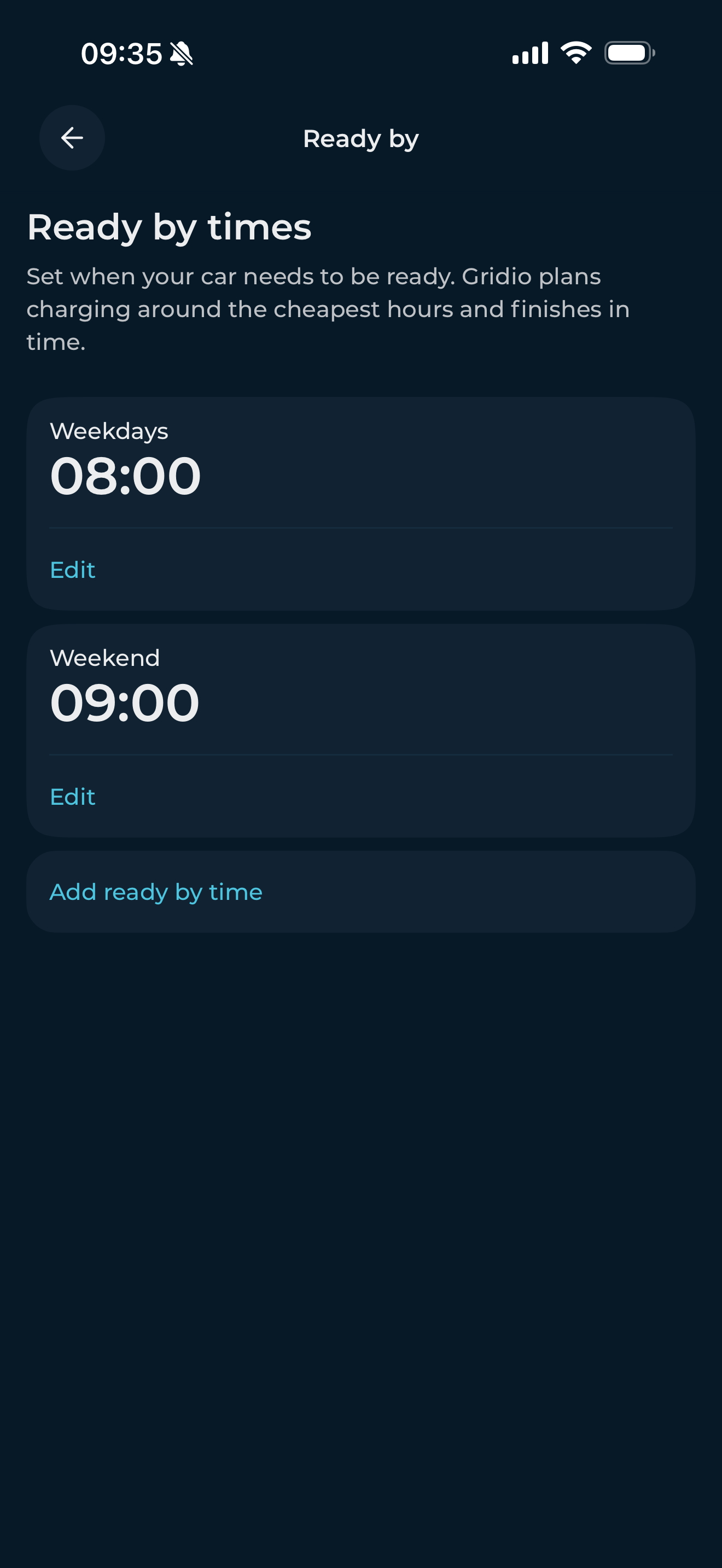
A common setup might look like this:
- Mon–Thu: 07:30 (commute days)
- Fri: no deadline (working from home)
- Sat–Sun: 10:00 (weekend, no rush)
Days you leave without a group aren't ignored. Gridio still charges on those days – it just uses the cheapest hours from whatever price window is visible, without a fixed deadline to hit. Each day can only belong to one group. The app prevents overlaps automatically.
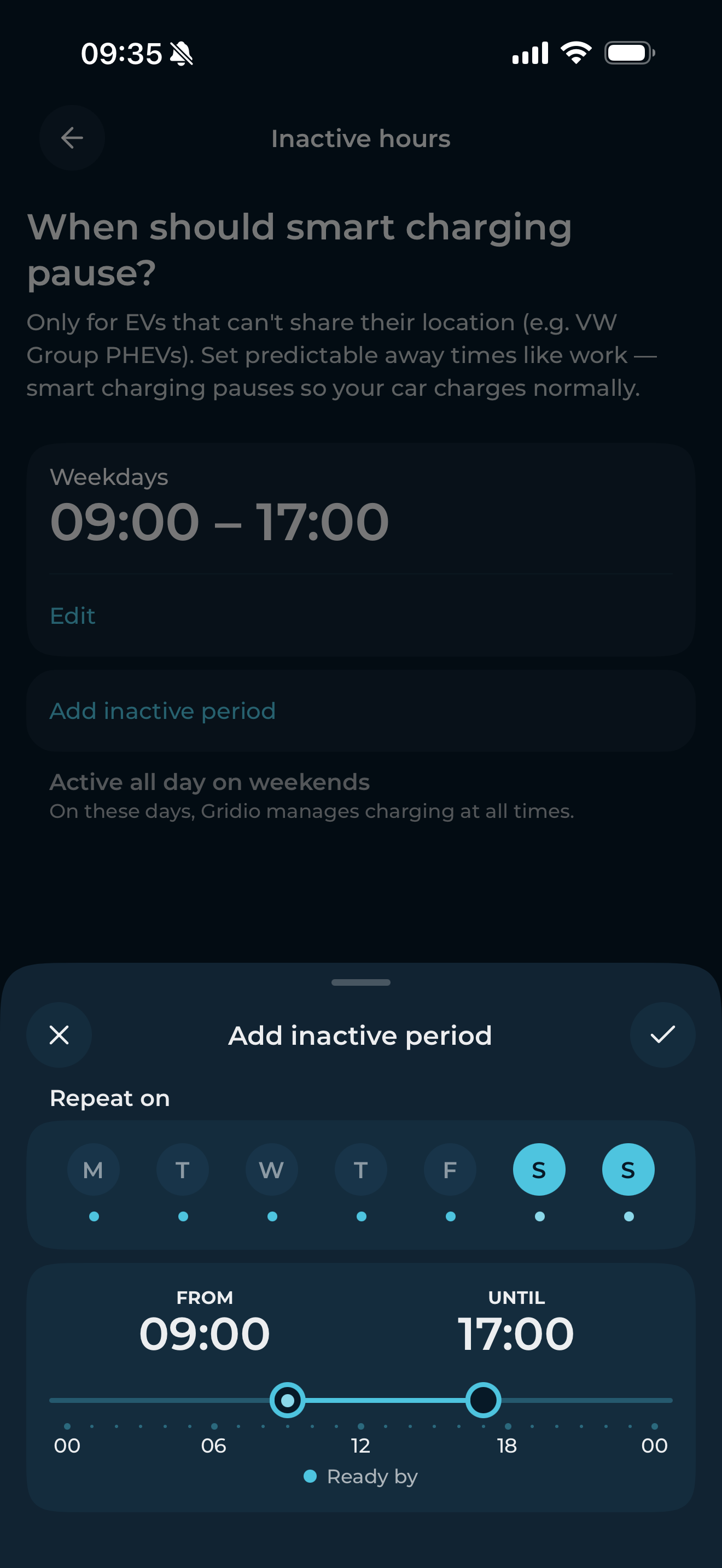
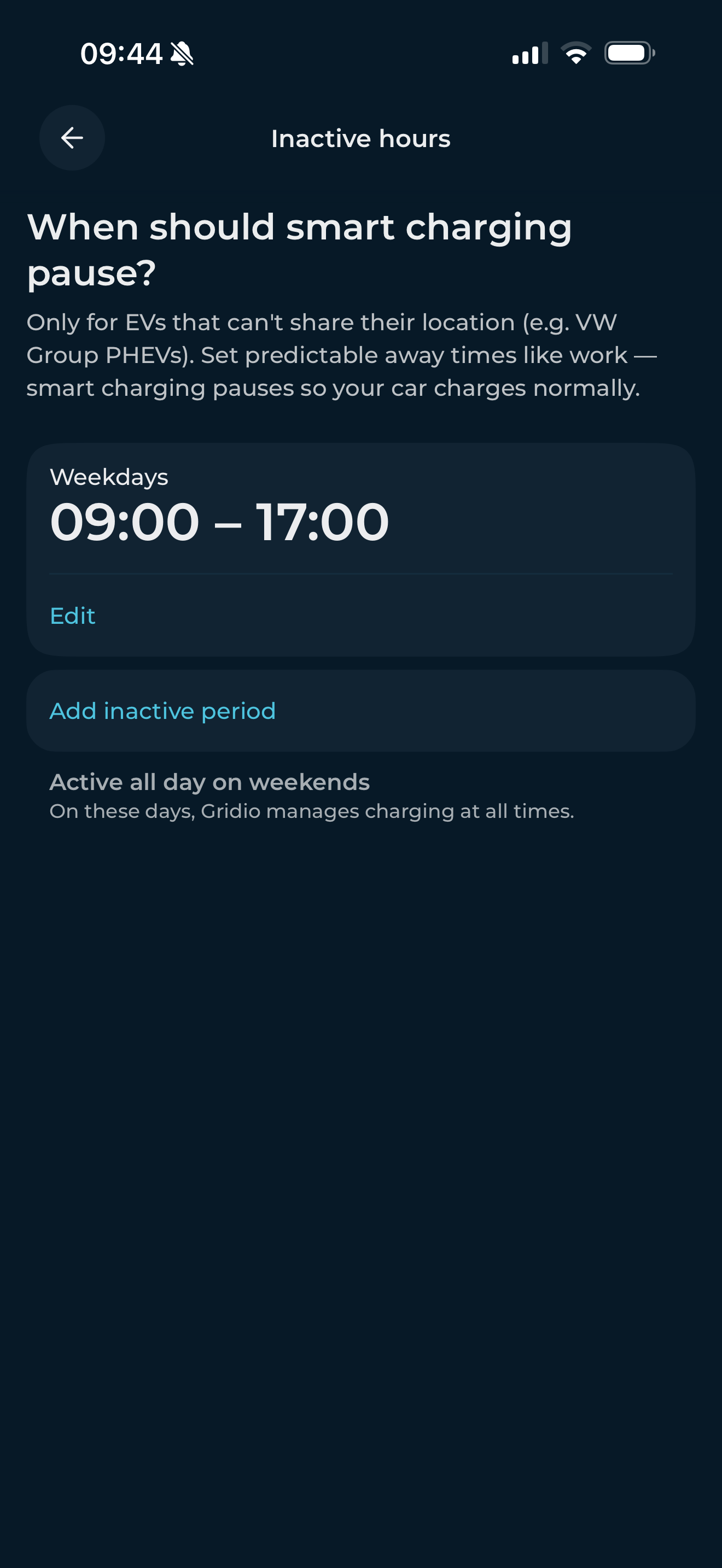
Inactive Hours: Only for Volkswagen Group plug-in hybrids!
For most cars, geofencing handles this automatically. But some vehicles – particularly Volkswagen Group plug-in hybrids – can't share their location through the app API. Inactive Hours is the manual alternative.
Tell Gridio when the car isn't home
Set a time window when smart charging pauses – for example, the hours your car is parked at the office. Gridio steps back, the car charges normally, and smart charging resumes when the window ends.
Your existing settings stay exactly as they are
If you had a single ready-by time before, it's still there – now as a group covering all seven days. Nothing changes unless you want it to.
The first time you open the app after updating, a short prompt will offer to take you straight to the new ready-by screen. Tap Show me to explore.
Available now
Multi-day charging schedules and Inactive Hours are live in the latest version of Gridio. Update the app, tap your car card, and set it up once.
